- Role
- Creative director
- Type
- Case study
How I'd build a demanding camera move with AI tools using a filmmaker's process, not a prompt experiment.
This page is an example of how I approach AI-assisted filmmaking: not as a shortcut, but as a production process.
This case study demonstrates how I approach complex, cinematic camera movement using a filmmaker-first mindset: designing physically plausible motion, locking continuity, and building the shot so it survives editorial, VFX, and delivery.
AI is used as a controlled execution layer, not a shortcut. Every decision starts with lens choice, camera constraints, and narrative intent.
The challenge
The shot: camera starts tight on a smartphone screen (clean plate for later UI insert), then slowly pulls back and booms down to reveal a mechanic on a creeper under a car. The mechanic slides out, sits up, grabs the phone, and looks at it.
The ask: explain, step by step and in as much detail as possible, exactly how you would generate this full shot today with current tools to achieve maximum consistency, cinematic quality, and precise camera control.
Why this shot matters
This isn’t a flashy idea. It’s a control problem.
A shot like this tests camera consistency, spatial logic, character stability, lighting continuity, and emotional clarity.
Most AI video falls apart somewhere in that list.
So instead of “prompting harder,” I approached this like a real shoot.
Philosophy and concept
I don’t believe AI replaces filmmaking. I believe it removes friction from it. The job is still the same: plan the shot, control the frame, respect the audience. Tools change. Taste doesn’t.
My process
Plan the shot before generating anything. Camera type. Lens feel. Lighting direction. This opening frame is the most important image in the sequence. If that’s wrong, everything downstream is noise.
Separate elements that need control. The phone screen is treated as a clean plate so the UI can be handled later, the same way real commercials are made. That separation keeps flexibility and avoids locking mistakes into the video.
Lock the environment before moving the camera. The car, the creeper, the space, the lighting: all of that needs to feel real and consistent. If a mechanic watches this, it should feel correct.
Treat the character like a real casting decision. The mechanic isn’t a one-off face. He’s a repeatable character. That consistency makes the rest of the work possible.
Design the camera move intentionally. This isn’t random AI motion. It’s a controlled pullback and jib-style move that communicates scale and realism.
Focus on the reaction, not the trick. The moment the mechanic looks at the phone is where the shot actually lives. Everything before it is setup.
Executive and technical breakdown
For those who want the full technical breakdown, below is the step-by-step construction of the shot.
Opening shot: smartphone screen (clean plate)
When I read “camera starts tight on a smartphone screen (clean plate),” my first consideration is cinematography, not AI.
I immediately define:
- Camera type and sensor feel
- Lens choice (macro vs standard close-focus)
- Lighting direction, intensity, and falloff
- Emotional intention of the opening frame
This is the most important image in the sequence. It establishes tone, realism, and trust.
For the clean plate, I would not assume a green screen by default. I would research best practices for screen replacement in AI-assisted pipelines. Ideally, the phone screen is generated as a neutral, reflection-accurate blank surface, with UI handled as a separate, isolated asset.
My preferred approach:
- Generate or ingest a still UI mockup in a separate project
- Version and approve UI independently
- Composite or insert the UI later for maximum control and flexibility
I would also define the type of phone. Practically, it should read as an iPhone due to market familiarity, but without using protected branding unless the project includes that partnership. The goal is instant audience recognition without legal exposure.
Camera movement: pull back and jib down
Once the starting frame is locked, I focus on camera movement continuity.
The phrase “booms down” would be translated into cinematic language. In film terms, this is a jib move, not an audio boom. That distinction matters, both for human collaborators and for AI interpretation.
By specifying a jib, I’m communicating:
- A crane-based camera move
- Physical space requirements
- A controlled, cinematic arc rather than a handheld or drone move
This implies:
- A jib arm of roughly 12 to 14 feet
- A set footprint large enough to justify that motion
- A grounded, professional production environment
That single word choice helps guide the AI toward scale, realism, and spatial logic.
Environment and props: creeper, car, location
Next, I validate domain accuracy.
The mechanic’s creeper isn’t just “a creeper.” It’s a specific object with cultural and professional meaning. I would research:
- Common brands
- Typical colors (e.g., red)
- Whether the terminology aligns with real-world mechanic language
Accuracy here signals respect for the audience. A mechanic should look at this and feel the same confidence they would if a script supervisor had verified it.
The vehicle matters just as much:
- Most common car colors
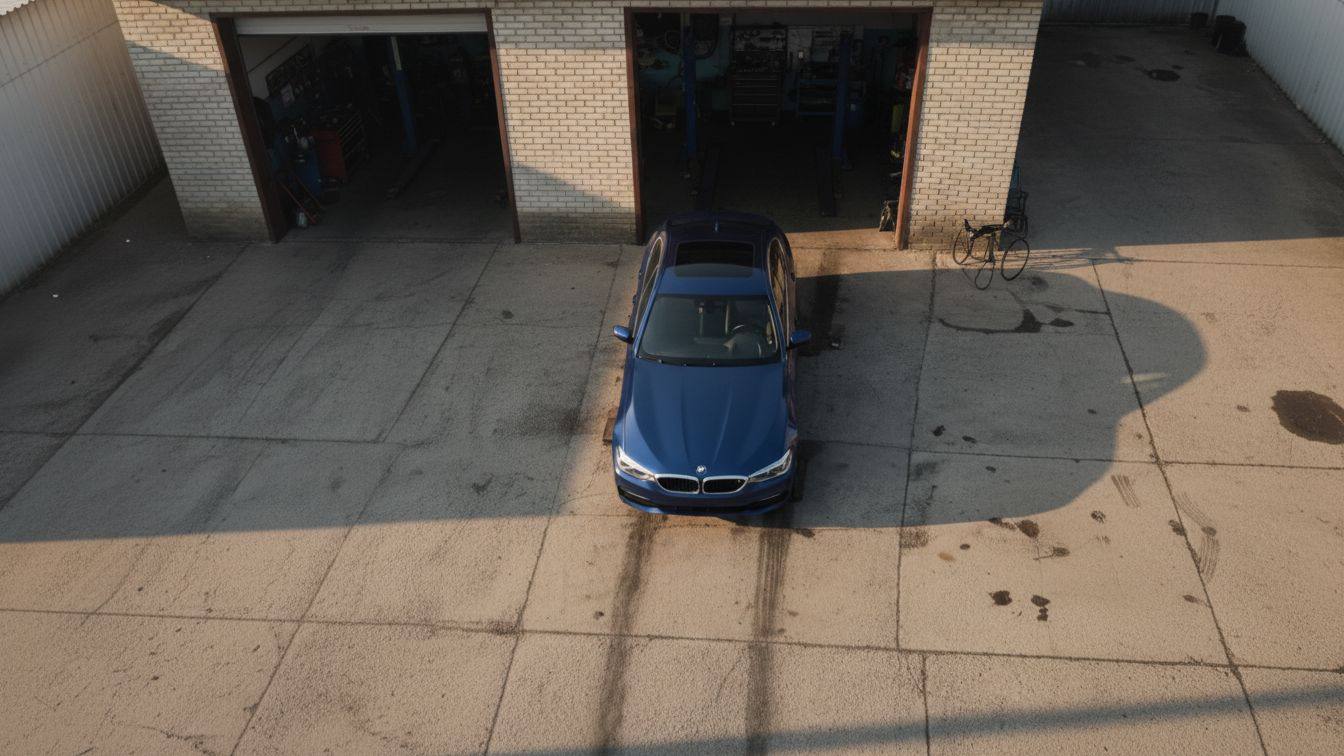
- Most common vehicle types
- Whether the setting is suburban, industrial, municipal, or blue-collar urban
This determines whether the car is:
- A sedan
- A pickup
- A work truck
- A municipal or fleet vehicle
Each choice signals who the story is for.
I would also lock the final frame of the previous shot before generating movement, ensuring spatial and visual continuity across generations.
Character creation and versioning
Before animation, I establish the mechanic as a repeatable character.
I would:
- Generate multiple isolated images or short clips
- Lock facial features, age, body type, and wardrobe
- Treat the character as an asset, not a one-off
This allows:
- Narrative continuity
- Future reuse
- Expansion into episodics, BTS, or longer arcs
I would study established character-development workflows (e.g., Disney / Pixar style iteration) and adapt that methodology to this AI-assisted pipeline. Every decision would be documented for reuse and scale.
Versioning isn’t overhead. It’s production infrastructure.
Action beats: sliding out, sitting up, grabbing the phone
At this stage, consistency is already solved.
Because the character, environment, phone, UI, lighting, and camera language are locked:
- The focus shifts to performance and cinematography
- The work becomes about quality, not correction
Each action beat can be explored cinematically:
- Does the mechanic slide out fully into frame?
- Is it one continuous move or segmented cuts?
- Do we rack focus from the phone to the mechanic?
- Do we reveal detail (worn hands, grease, phone case wear) to imply lived experience?
These decisions are driven by story and tone, not technical limitations.
Final beat: the look
When the mechanic looks at the phone, the shot lives or dies on emotion.
I would define:
- The exact facial expression
- The emotional question being asked of the audience
- Whether the reaction is subtle, deadpan, concerned, relieved, or conflicted
That expression must align with the broader narrative goal: not just this shot, but the campaign or story arc it belongs to.
Steps: the actual work
Build reference stills first: auditioning and casting, location scouting, equipment shopping.
Locked character description. My prompt:
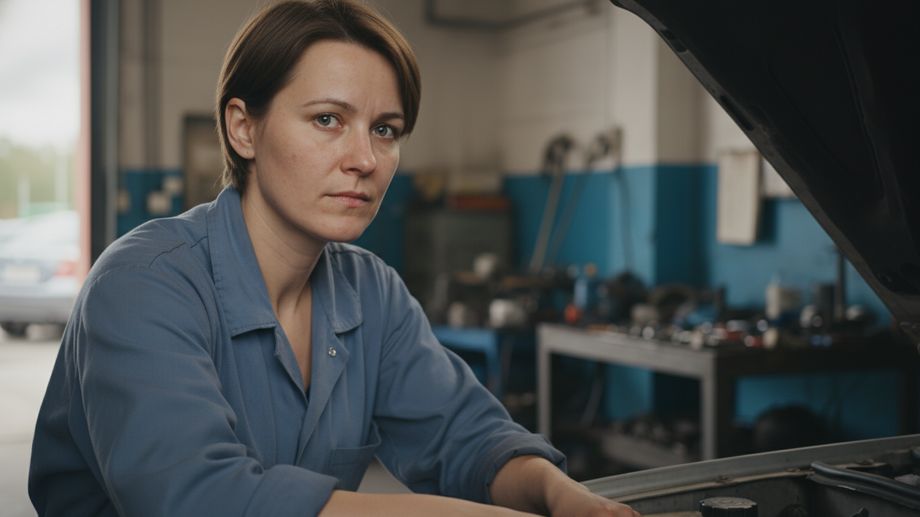
Male mechanic in his 30s. Short hair. Neutral facial features. Average build. Wearing a generic work shirt with no logos. Light grease on hands. Natural skin texture. Grounded, realistic proportions. No stylization. Photoreal cinematic commercial realism.
The first pass, built around that locked description:
- Scene intent: establish a believable mechanic character in a grounded environment. This pass is for character consistency and realism only.
- Visual language: photoreal cinematic commercial. Natural textures. No stylization. Feels like a real person, not an AI render.
- Shot composition: static medium-wide shot of a mechanic lying on a red mechanic’s creeper beneath a car in a small garage or driveway workspace.
- Lighting: soft motivated garage lighting from camera-left. Realistic shadows under the car. Natural contrast.
- Character description: the locked description above.
- Constraints: no camera movement. No action beyond natural breathing. No text. No logos. No UI.
- Output: 3 to 4 seconds.
Due to safety constraints around reference imagery, the character was generated and stabilized directly within the video model using a locked textual description before motion passes were layered in.
Results
This case study demonstrates how I approach AI-assisted filmmaking as a production process, not a prompt experiment.
The goal was to design a single, technically demanding shot and execute it using current consumer-access AI tools while maintaining cinematic logic, spatial realism, and narrative intent.
The process successfully established and stabilized all required production components:
- A repeatable, grounded mechanic character suitable for reuse
- A physically plausible auto-repair environment with correct spatial logic
- Separate, controllable assets (vehicle, creeper, phone)
- Cinematic camera intent defined using real-world filmmaking language
- A step-by-step workflow that mirrors traditional commercial production
Where this process intentionally stops is at final composite execution.
Current publicly available AI image and video models still struggle with multi-object spatial consistency, scale accuracy, and occlusion across iterations. These limitations are not solvable through prompting alone without paid access, internal tooling, or compositing pipelines.
Rather than forcing an artificial “final result,” this case study stops at the point where professional judgment would intervene in a real production.
What this example represents
This isn’t about one shot. It’s about:
- Planning shots before generating anything
- Designing for control and consistency
- Understanding where AI works, and where it breaks
- Applying traditional filmmaking logic to modern tools
AI is just another tool in the chain.
The job is still the same: plan the shot, control the frame, respect the audience.
Final words
Thank you for visiting my case study on AI filmmaking!
Kenny, Creative Director / Filmmaker / AI Curator
Next project